







Fits the stack you already run on
Connect the calendar, the video tool, and the payment processor you already use. When you need something we have not built, there are webhooks and an API.
Free for individuals. No card required.
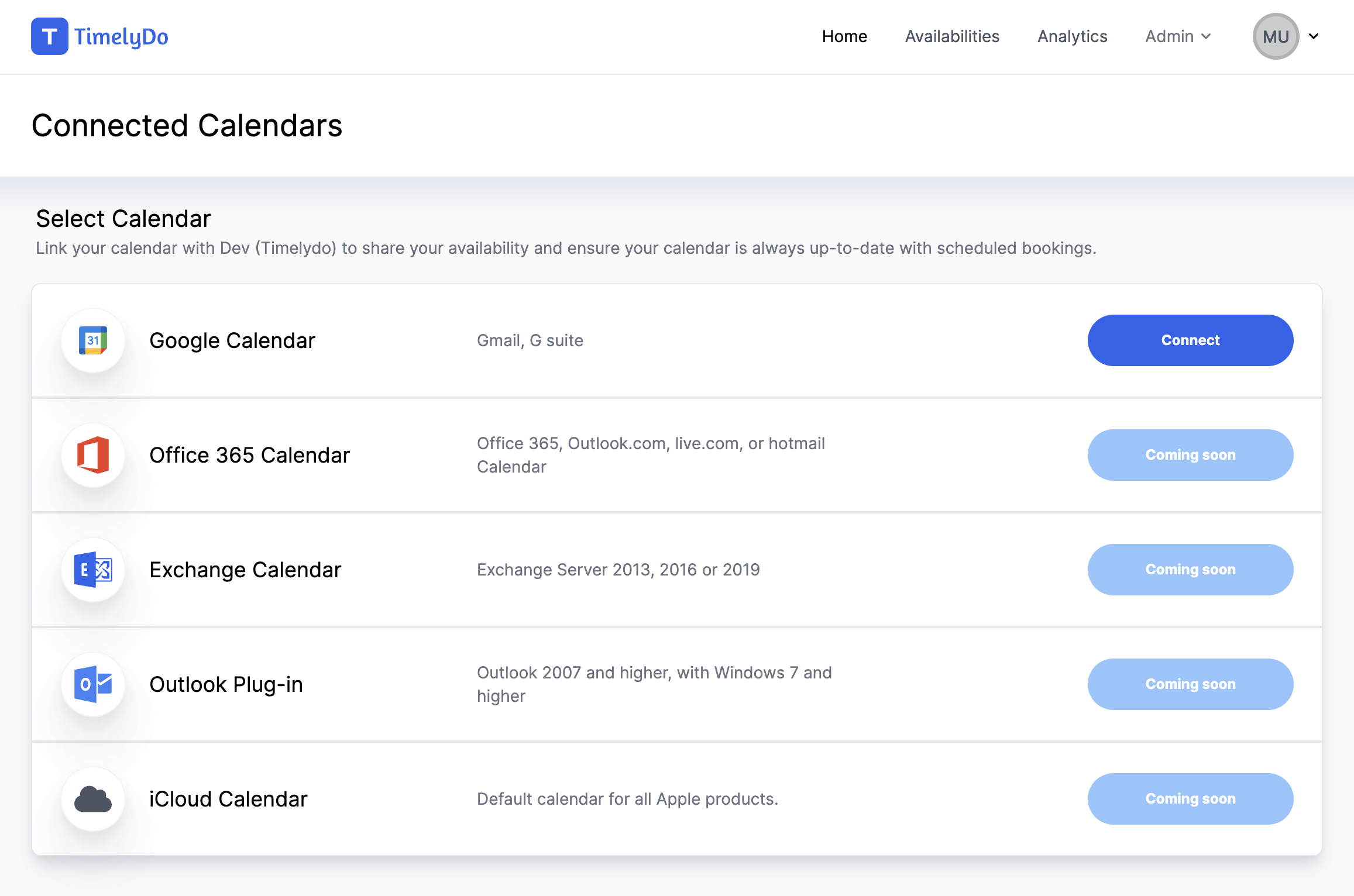
Calendars
Google Calendar and Office 365 sync in both directions, so your availability and your bookings stay in agreement.
Video calls
Connect Zoom and a meeting link is generated and attached to the booking automatically.
Payments
Take payment through Stripe at the moment someone books, so the meeting is confirmed and paid in one step.
For developers
Build on top of it
Webhooks fire on booking activity so you can push events into whatever else you run. An API key gives you programmatic access, and the embed code drops the booking flow into your own product.
- Webhooks for booking created, rescheduled, and cancelled
- API key issued per account from your settings
- Embed code for putting the booking page in your own site
- QR code generation for any event type
Common questions
Does connecting a calendar give you access to my events?
Connected calendars are read to work out when you are busy and written to when a booking is made. You can disconnect a calendar at any time from your settings.
Can I take payment when someone books?
Yes. Connect Stripe and payment is collected as part of the booking flow.
Is there an API?
Yes. Each account can generate an API key from the developer settings, and webhooks are available for booking events. The full API reference, with examples in curl, Ruby, Python and JavaScript, is at timelydo.com/api/docs.
Start taking bookings today
Set up your event types, share one link, and let Timelydo handle the scheduling.
Free for individuals. No card required.